
Workday — Staff Attendance & Leave Management
Geo-fence check-in, work hours tracking, leave requests and approvals — a complete workday management system for school staff.
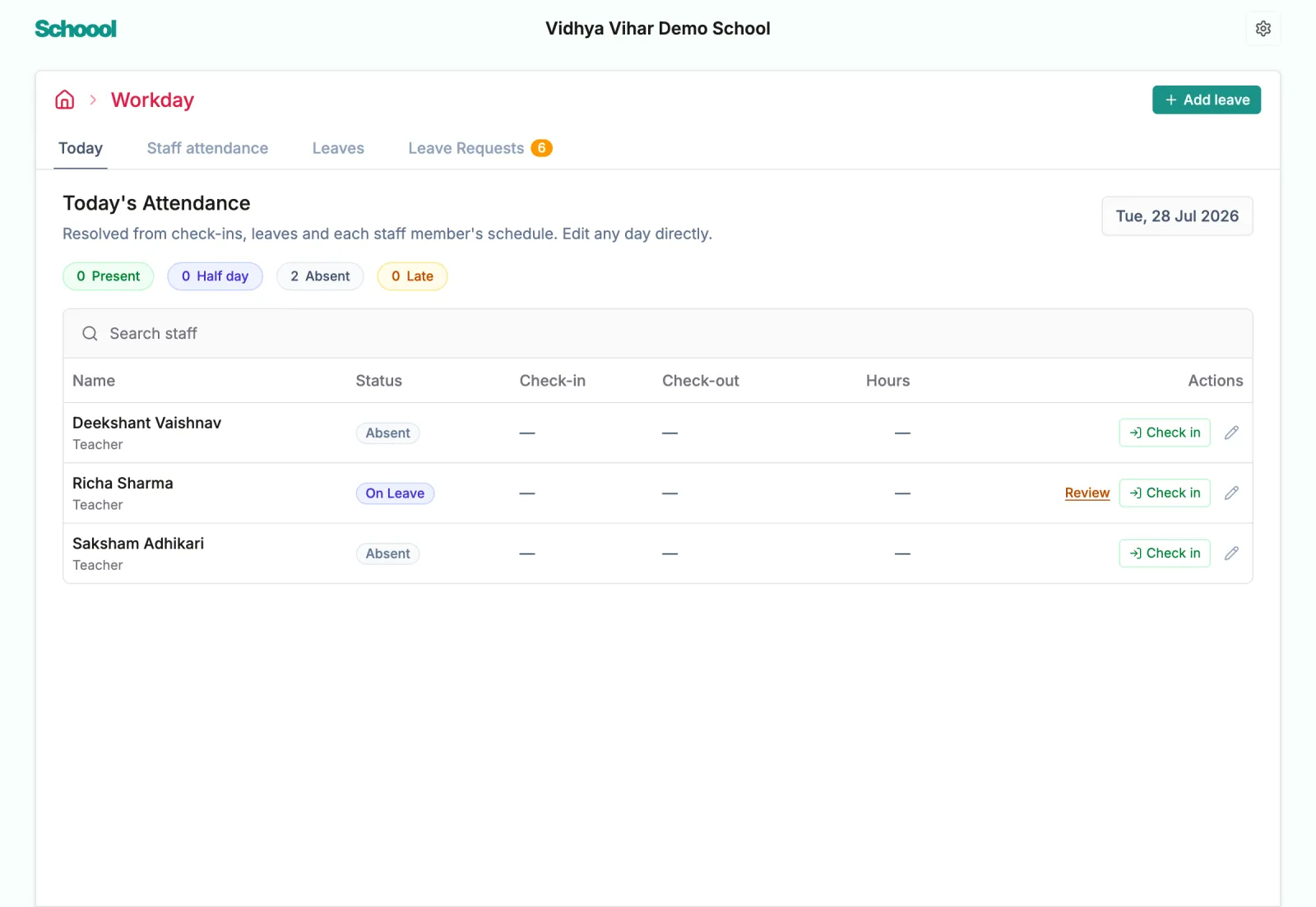
Geo-fence check-in — the key differentiator
Staff open the Schoool app and check in automatically when they enter the school's geo-fence boundary. No RFID, no biometric device needed — just a smartphone. The system logs exact check-in and check-out times and calculates total work hours per day.
Attendance features
Geo-fence check-in
Automatically detect when staff enter school premises using the device's GPS. No hardware required — works on any Android smartphone.
Check-out tracking
Record when staff leave the school boundary. Combined with check-in time, the system calculates total hours worked per day automatically.
Work hours log
View a complete daily and monthly log of each staff member's work hours, including total present days and average hours per day.
Workday policy configuration
Define the school's geo-fence radius, minimum work hours, and check-in window per your school's schedule and policies.
Leave management features
Leave request
Staff submit online leave requests with dates and reasons. Administrators receive instant notifications, including WhatsApp alerts, so no request is missed.
Leave approval
Principals and administrators can approve or reject leave requests in one click from web or mobile. Staff are notified instantly on WhatsApp once the leave is decided.
Leave history
Maintain a complete staff leave history including leave dates, reasons, and approval status for easy reference and compliance.
Leave balance
Automatically track remaining leave balance for each staff member throughout the academic year.
Paid Leave Management (Monthly & Annual)
Manage paid leaves on a monthly or annual basis. Define leave quotas, track usage, and automatically calculate remaining paid leaves for each staff member.
Who it's for
Workday is for schools that want reliable staff attendance without buying biometric or RFID machines, and for principals who approve staff leave.
How it works
- 1
Set the geo-fence. Define the school's geo-fence radius, minimum work hours and check-in window.
- 2
Staff check in on their phone. When staff enter the school boundary with the Schoool Android app, check-in is recorded automatically. Check-out is recorded when they leave.
- 3
Hours are calculated. Schoool logs daily and monthly work hours, present days and average hours for every staff member.
- 4
Leave is requested and approved. Staff apply for leave in the app. Principals approve or reject in one click, and leave balances update automatically.
Frequently asked questions
Do we need a biometric or RFID machine?
No. Workday uses GPS geo-fencing on the staff member's Android smartphone, so no extra hardware is needed.
Can staff apply for leave from their phone?
Yes. Staff submit leave requests with dates and reasons, and administrators are notified, including on WhatsApp. Staff hear back on WhatsApp once a decision is made.
Can we set our own leave policy?
Yes. Define monthly or annual paid leave quotas. Schoool tracks usage and the remaining balance for each staff member through the academic year.
Related features
Staff Management
Staff profiles and 19 access permissions
Staff Payroll
Monthly payroll, advances and payslips
Attendance Tracking
Daily marking with WhatsApp absence alerts
Included in every Schoool plan, with no per-module charges. See pricing or view all features.
Know when your staff is at school — automatically
Book a demo to see geo-fence check-in and leave management in action.
Book Demo