
Student Attendance Management
Mark daily attendance by class, send instant WhatsApp alerts for absentees, and track trends through a built-in analytics dashboard.
Attendance features
Daily attendance
Mark student attendance as present or absent for each class every day. The process is fast, simple, and completed in minutes.
Class-wise attendance
View class-wise attendance records for any date with a clear summary to monitor overall student presence.
Absent record for each student
Access individual student absence records directly from their profile. Track absence history and identify attendance patterns easily.
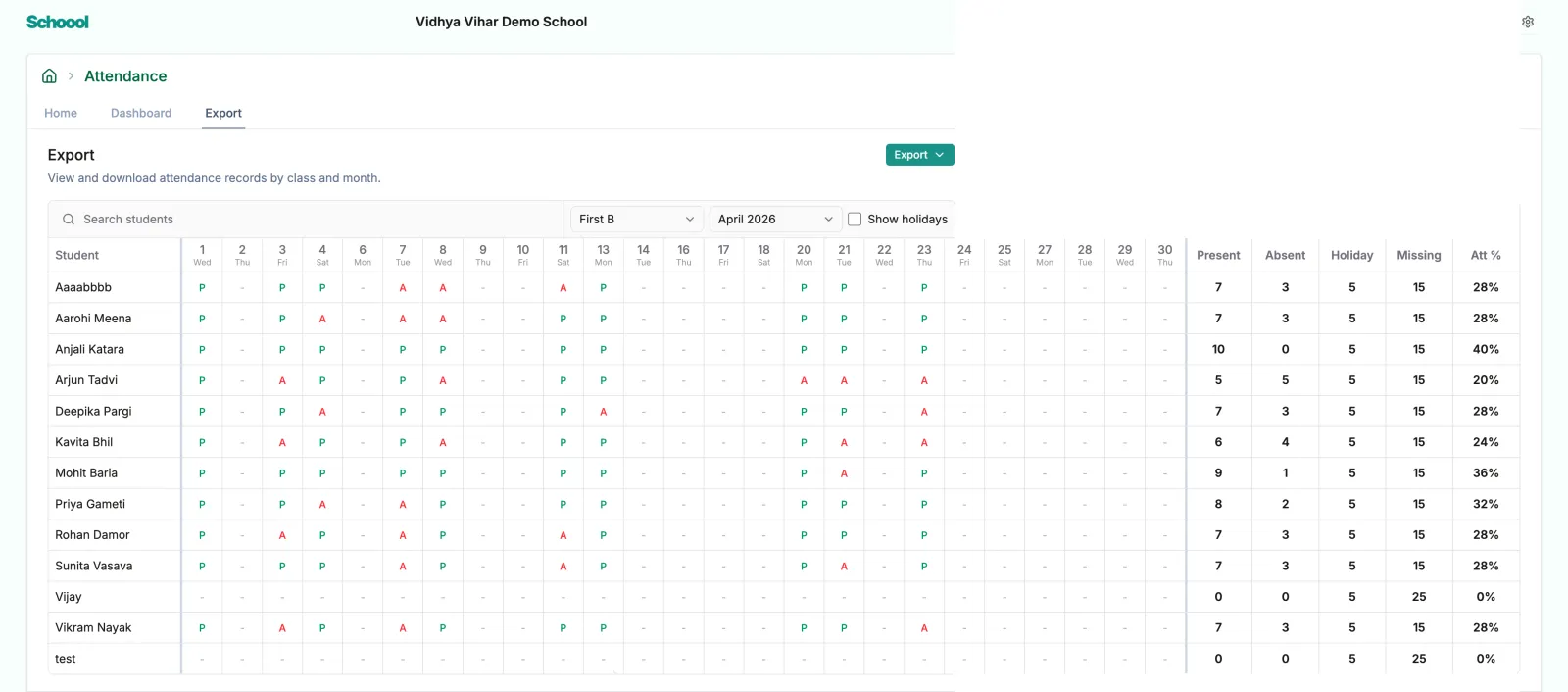
Monthly reports
Generate monthly attendance reports for each student. Useful for school records, parent meetings, and performance tracking.
Attendance dashboard & analytics
View school-wide attendance at a glance — total present and absent per day, class-wise trends, and students with chronic absences flagged for follow-up.
Export attendance (CSV/Excel)
Export attendance data for any date range, class, or student as a CSV or Excel file — for government reports, audits, or parent meetings.
Absent notification on WhatsApp
Parents receive automatic absence alerts on WhatsApp the moment their child is marked absent — eliminating manual calls and improving communication.
Who it's for
Schoool's attendance module is for class teachers who mark attendance every morning, principals who need a school-wide view, and parents who want to know at once when their child is not in class. It suits schools, coaching centres and daycare centres of any size.
How it works
- 1
Mark attendance by class. Teachers mark each student present or absent on a phone, tablet or computer. A whole class takes a few minutes.
- 2
Parents are told at once. When a student is marked absent, the parent gets an automatic WhatsApp alert, so nobody has to call home.
- 3
Spot patterns early. The attendance dashboard shows daily totals, class-wise trends and students with frequent absences.
- 4
Report and export. Generate monthly reports for each student, or export any date range to CSV or Excel for government reports and audits.
Frequently asked questions
How do parents find out their child is absent?
Schoool sends an automatic WhatsApp message to the parent's registered number as soon as the student is marked absent. Parents don't need to install any app.
Can I export attendance for government reports?
Yes. You can export attendance for any date range, class or student as a CSV or Excel file.
Can I see one student's attendance history?
Yes. Each student's profile shows their daily attendance, absence history and monthly attendance reports.
Related features
WhatsApp Notifications
Automatic fee, attendance and result updates for parents
Student Management
Admissions, profiles, bulk updates and certificates
Event Calendar
Holidays, PTMs, events and birthdays
Included in every Schoool plan, with no per-module charges. See pricing or view all features.
Know who's in school, every day
Book a demo to see attendance tracking and parent alerts in action.
Book Demo