
Academic Event Calendar for Schools
Plan school events, manage holidays and PTMs, and keep the whole school informed with a shared academic calendar.
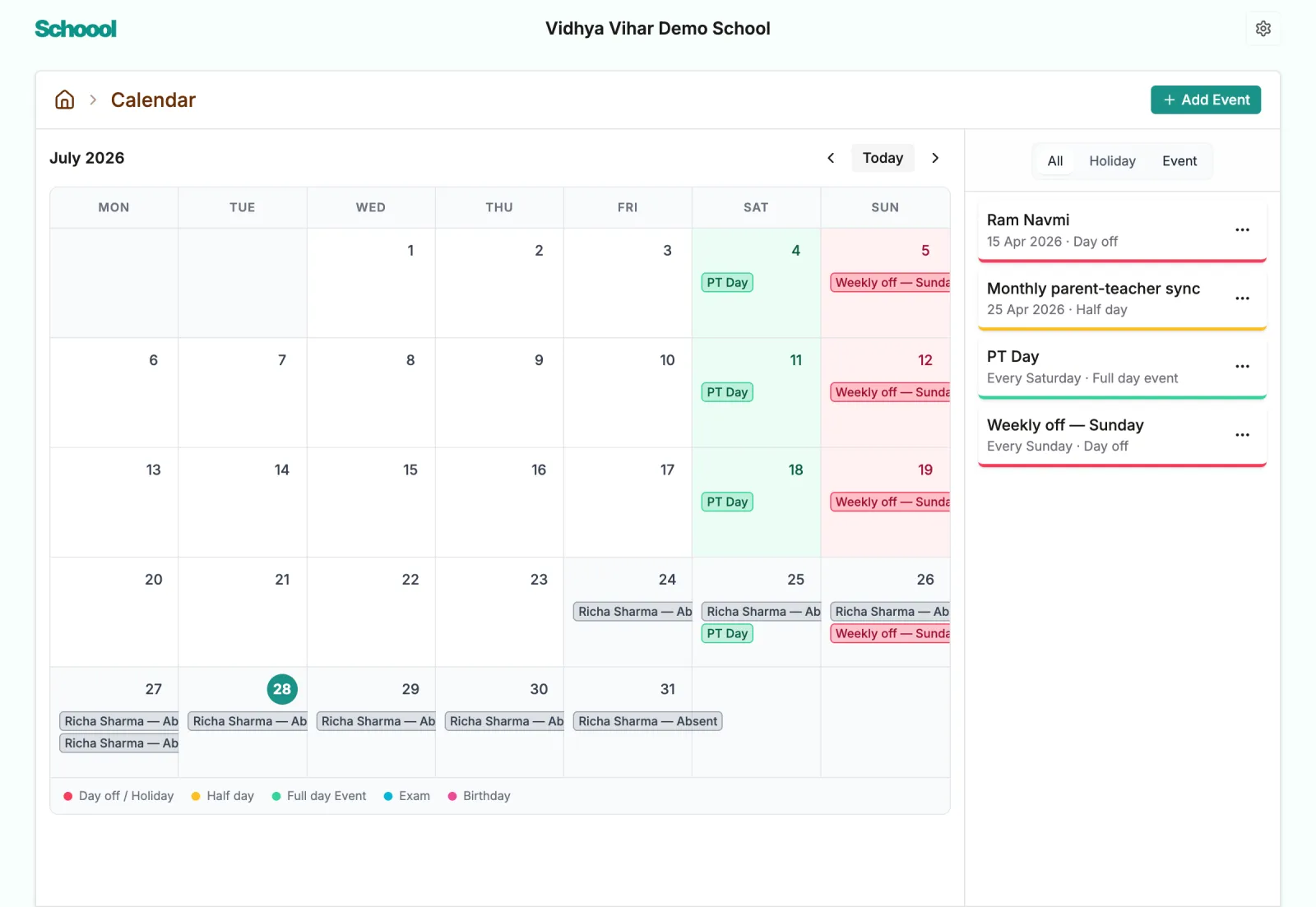
Calendar features
Yearly holiday list
Create and share the academic year holiday calendar once. Keep staff, students, and parents informed about school holidays in advance.
Parent teacher meetings
Schedule parent-teacher meetings and send automatic WhatsApp reminders to parents before the meeting date.
School events
Add school events like annual day, sports day, cultural programs, and functions. Ensure parents and staff stay updated at all times.
Half day holidays
Mark half-day schedules and communicate them clearly to avoid confusion. Parents receive instant notifications.
Automatic birthday events
Student birthdays are automatically pulled from the student database and shown on the calendar. Birthday WhatsApp messages are sent to parents on the day itself.
Absence overlay on calendar
View student absence data overlaid on the calendar view — instantly see which days had high absenteeism and correlate with events or holidays.
Custom event creation
Create any custom school event such as school trips, inspection days, competitions, or special announcements and notify parents via WhatsApp instantly.
Who it's for
The event calendar is for administrators who plan the academic year, teachers who need to know what's coming, and parents who want holiday and parent-teacher meeting dates in advance.
How it works
- 1
Set up the year. Add the yearly holiday list once at the start of the academic year and share it with staff, students and parents.
- 2
Add events as they come. Schedule parent-teacher meetings, annual day, sports day, half-days, trips and any custom event.
- 3
Parents are notified on WhatsApp. Parents get WhatsApp notifications for holidays, half-days and events, and reminders before parent-teacher meetings.
- 4
Birthdays and absences appear on their own. Student birthdays come from the student database, and absence data can be shown on the calendar view.
Frequently asked questions
Do parents get reminders for parent-teacher meetings?
Yes. When you schedule a parent-teacher meeting, Schoool sends parents automatic WhatsApp reminders before the meeting date.
How are student birthdays added to the calendar?
Birthdays are pulled automatically from each student's date of birth in the student database. Parents also receive a birthday WhatsApp message on the day.
Can I announce a sudden holiday or half-day?
Yes. Mark the holiday or half-day on the calendar and parents are notified instantly on WhatsApp.
Related features
WhatsApp Notifications
Automatic fee, attendance and result updates for parents
Attendance Tracking
Daily marking with WhatsApp absence alerts
Student Management
Admissions, profiles, bulk updates and certificates
Included in every Schoool plan, with no per-module charges. See pricing or view all features.
Keep everyone on the same page
Book a demo to see the academic calendar and WhatsApp notifications in action.
Book Demo